The bed
Each bed is defined as a separate unit, with its own availability, rate and allocation.
- Sold individually, by the night
- Has its own seasonal rate
- Has its own guest, with history
- Goes back on sale at departure



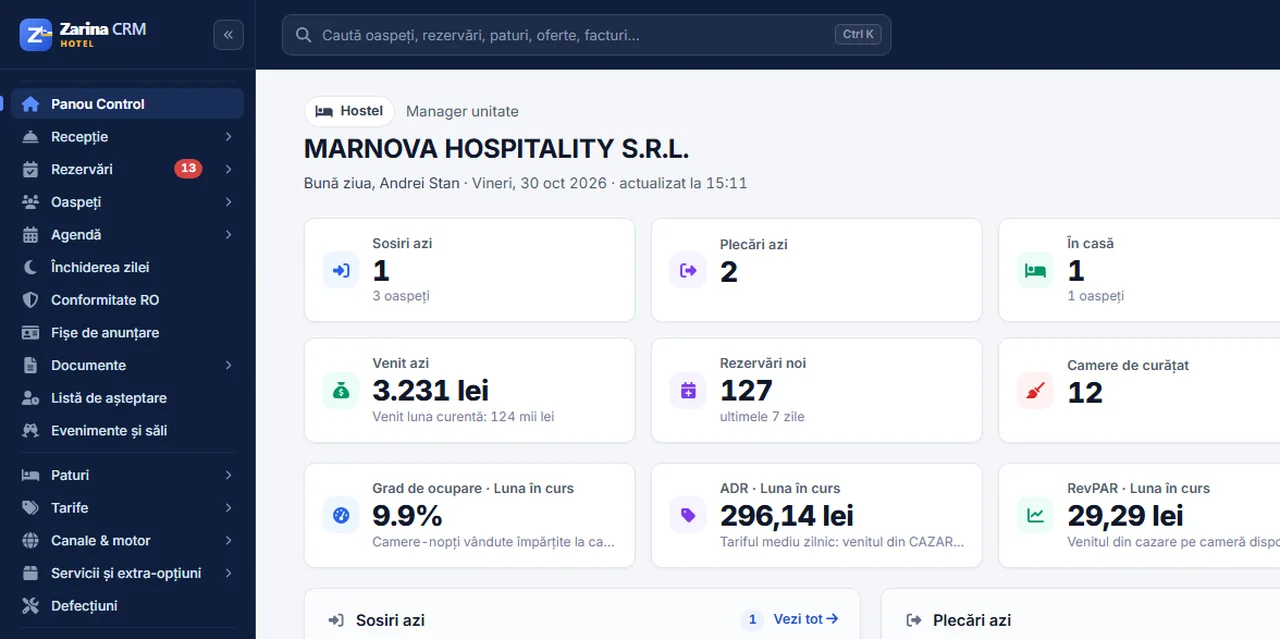
In a hostel, the same room has six guests who do not know each other, arrive on different days and leave one by one. Software built for hotels only sees “room 12 occupied” and can no longer sell the five beds still free. Zarina CRM works with the bed as the unit: each bed has its own availability, rate and guest, while the dorm remains the room they stay in. It is installed on your company’s server, with a lifetime licence.
Every step exists as such in the application. It is not a presentation diagram; it is the order in which data is entered.
It comes in from the hostel’s website, from Booking.com or Airbnb, or is entered at reception.
A free bed is chosen in the right dorm, for the requested nights, without blocking the rest of the room.
It goes out with the bed’s nightly rate and, where applicable, the deposit collected online.
The guest’s details are entered once, and the registration card is filled in from them.
Linen, towel, locker or breakfast are added to the guest’s bill, not on paper.
The bed is marked for cleaning and goes back on sale, even if the others in the dorm stay.
The Hostel profile changes the terms throughout the application: where a hotel sees “Rooms”, you see “Beds”, and the dorm remains the physical room. It is chosen from settings, without code and without a separate licence.
Each bed is defined as a separate unit, with its own availability, rate and allocation.
The unit type describes the dorm: how many beds it has, whether it is mixed or female-only, what facilities it has.
Schools, teams and organised groups are sold differently from the traveller who comes alone.
Hostels get a large share of bookings from platforms. The basic connection works with no separate contract with the platform.
Through the iCal calendar Booking.com and Airbnb provide in their extranet: their bookings come into the application, and occupancy goes back to them. Sync runs at intervals, not in the same second.
The booking engine on the hostel’s website searches free beds, shows the nightly rate and turns the request into a booking, with no platform commission.
Automatic sending of rates and restrictions, as well as Expedia, is done through a direct connection and requires the hostel’s connectivity contract with the platform.
We prefer to be precise from the start, including about the things that depend on configuration or on others.
The Hostel profile is part of the Hotel edition. It is paid once, installed on your side and remains the company’s.
We install the application on the company’s hosting and configure it for the Hostel profile.
We define the dorms, each bed and the seasonal rates, so the system is ready to use.
We configure together the platforms you are listed on, with your own accounts.
Hostels with shared dorms, possibly with private rooms too, that sell by the bed and receive bookings from platforms.
Properties that host organised groups — schools, teams, camps — and need blocks with a release date.
Anyone needing automatic allocation by gender or age, or a direct connection to Hostelworld. These do not exist in the application today.
Guests’ data is personal data. Its place is not with us.
For a hostel, all beds sit on a single screen, however many platforms it is listed on.


 Stripe

Bookings from Booking.com and Airbnb come in through the iCal calendar, with no separate contract, and occupancy goes back to them at every sync; Expedia and rate sending require the hostel’s connectivity contract. The deposit is collected online through Stripe, the booking confirmation goes out on WhatsApp, and the invoice is issued with VAT and the applicable per-night fees. The full list is on the connectors and API page.
Yes. Each bed is a separate unit, with its own availability. Booking one bed does not block the other beds in the same dorm.
Yes. The private room is defined as a separate unit type and sold whole, alongside the beds in the dorms.
The bookable unit. In a guesthouse the room is sold; in a hostel the bed is sold, and the dorm remains the physical room. The terms in the application change accordingly.
Through the Groups module: block 30 beds for the requested nights, with a release date. You then receive the rooming list, and beds not taken by that date go back on sale.
Yes, through the iCal calendar in the Booking.com extranet, with no separate contract. Sync runs at intervals. Rates do not go out through this calendar; for that you need the direct connection, with a connectivity contract.
No. Today Booking.com and Airbnb are connected, through the calendar, plus the booking engine on your own website. Hostelworld bookings are entered at reception.
The profile for guesthouses, where the bookable unit is the room.
The profile for apartments rented by the night, sold whole.
The Hotel edition on the hotel profile, for properties with a front desk in shifts.
We install Zarina CRM on your side, configure it for the Hostel profile, define dorms, beds and rates and connect the Booking.com and Airbnb calendars. From that moment on, the application is an asset of the company, not a monthly expense.
We have sent the access link to the e-mail address you entered. It usually arrives within a minute.