


Online store and marketplace integration, orders, stock and status
Orders from your own store and from marketplaces arrive in the CRM with their product lines and delivery details. Stock and order status go back to the platform, with no double entry.
From $2,900 excl. VATone-time payment, no monthly subscription
Online store and marketplace integration. Orders, stock, status and waybill, synchronised both ways, on your own server.
Works together with: Connectors and API, Shipping integration, Payment integration.
What happens when the store and the CRM do not talk
The data already exists in the platform, and still gets moved by hand.
- The order shows up in the store panel and someone copies it into the CRM or into a spreadsheet.
- Stock is checked in a third place, usually after the customer has already paid.
- The same product sold at once in your store and on a marketplace leads to cancellations.
- On a marketplace, a cancellation costs seller rating, not just one order.
- A customer asking about an order means opening two systems.
- Nobody knows which channel brings margin and which only volume.
What the store integration includes
Structured orders, synchronised stock and status sent back.
The order arrives as a record
Product lines, quantities, billing and delivery details arrive structured, so they can be filtered, reported on and invoiced.
- Product lines
- Delivery details
- Payment method
- Store reference
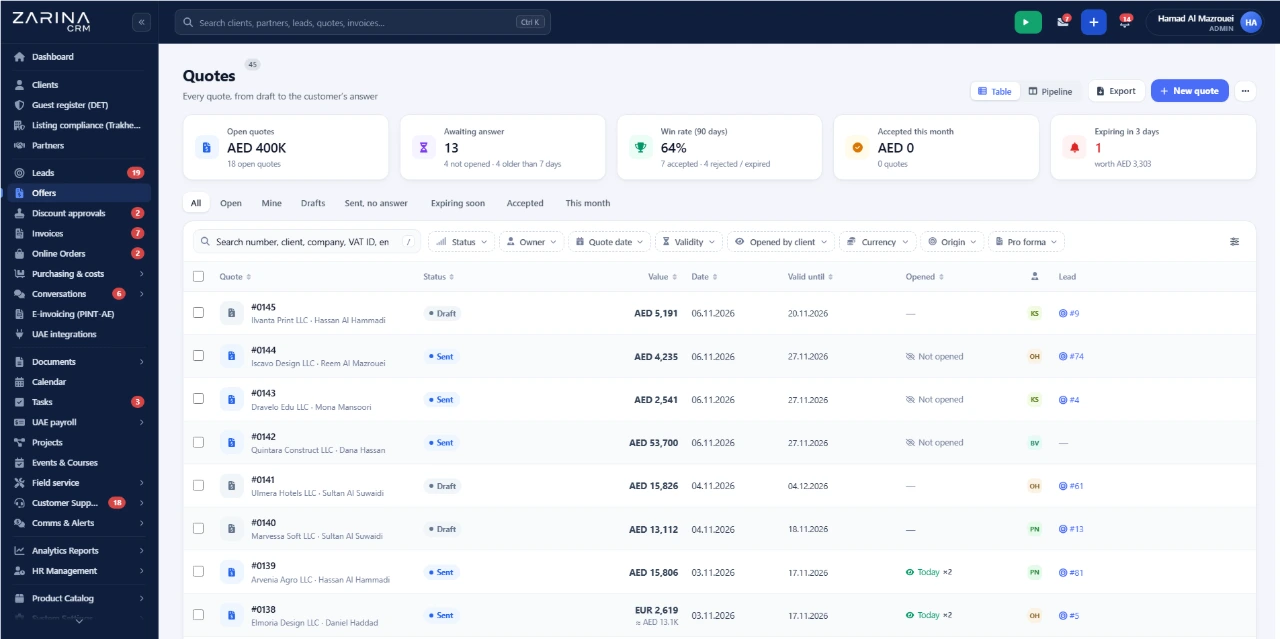
The customer links to an existing record
A returning buyer is attached to their own record rather than creating a duplicate.
- No duplicate records
- History per customer
- Lifetime value
- Real segmentation
Stock goes back to the store
After invoicing or dispatch, availability is updated in the platform, so you do not sell what you no longer have.
- Scheduled update
- Across channels
- After invoice or dispatch
- Reservations visible
Status and waybill back to the buyer
When the order ships, the waybill number and status reach the platform, so the customer tracks it from their own account.
- Status in the platform
- Waybill sent
- Automatic notice
- Fewer enquiries
Several channels in parallel
Your own store and marketplaces, run from one place, with shared stock.
- Own store
- Marketplaces
- Shared stock
- Report per channel
The keys stay yours
Merchant and seller accounts remain yours, and credentials live in your own installation.
- Your own account
- Keys in your install
- No intermediary
- Vendor independence
What changes in the first month
It shows up within the first few dozen orders.
Orders stop being copied
They arrive on their own, complete.
- No retyping
- Nothing omitted
- Faster processing
Stock stops lying
Availability in the store reflects reality.
- Fewer cancellations
- Rating protected
- Happier customers
Invoicing starts from the order
The document is issued from imported data.
- No retyping
- Correct series
- Collection tracked
Shipping attaches to the order
The waybill is created from the same record.
- One flow
- Waybill per order
- Tracking to the buyer
Support answers first time
Order history sits on the customer record.
- No switching
- Full context
- Shorter handling
Channels become comparable
Value and cancellation rate per channel.
- Value per channel
- Cancellation rate
- Decisions on evidence
How an order travels, step by step
From placement in the store to the status returned to the buyer.
Amazon.ae, noon and similar platforms impose their own processing windows and validation formats. The integration follows their interface, but the commercial rules remain theirs.
- Processing deadlines are theirs
- Field-level validation is theirs
- Cancellation rules are theirs
- Seller rating is affected
- Stock is requested frequently
- Commissions are theirs
A missed deadline affects the seller account whatever CRM you use. The integration shortens the delay; it does not suspend the platform’s rules.
- 1
The customer places the order
In your store or on a marketplace.
- 2
The order is imported into the CRM
On schedule, with all its lines.
- 3
The customer is matched or created
From the identifying details.
- 4
The order is processed and invoiced
With stock checked in the CRM.
- 5
Stock is updated in the store
At the next synchronisation.
- 6
Status and waybill go back
The buyer sees them in their account.
What reduces the administrative load on online orders
Configurable rules, no programming.
Order created on import
With no manual step.
Invoice on confirmed payment
Issued on its own.
Waybill on dispatch stage
The order ships without manual steps.
Notice on every status change
The buyer is kept informed.
Alert on unprocessed orders
Past the deadline you set.
Report per sales channel
Value, margin, cancellation rate.
Access to store accounts and order data
API keys stay in your own installation.
- Credentials never leave the server Merchant account keys stay in your installation.
- Customer data stays with you It does not pass through any intermediary service of ours.
- Order access is granted by role Not every user needs to see every channel.
- Every synchronisation leaves a trail What was imported and when.
- Import errors are visible Rejected orders do not vanish silently.
- Data requests are handled in the CRM Including deletion where required.
What to prepare before the first synchronisation
Decisions worth making in advance.
API keys per platform
From your merchant and seller accounts.
A consistent product code
A shared SKU between store and CRM, for variant mapping.
The stock update rule
On invoicing or on dispatch.
The synchronisation interval
How often orders are pulled.
Status mappings
Which CRM status matches each platform status.
Scheduled server job
For the periodic import.
The limits of the store integration, stated plainly
What the module does not do.
- Product variants need mapping. Without a consistent SKU between store and CRM, matching is done manually at setup.
- Stock synchronises on an interval, not instantly. Between runs there is a window in which a sold-out product can still be bought.
- Returns are not imported automatically. Processing a return and issuing a credit note are manual.
- Prices stay in the store. The CRM does not push price lists to the platform.
- It does not replace the store platform. If the store is unavailable, orders are recovered on later runs.
- Platforms outside the catalogue are connected through the programming interface, as separate work.
When the store integration makes sense and when it does not
Stated plainly.
A good fit if
The situations in which the module pays for itself quickly.
- You receive orders online every day.
- You sell on several channels with shared stock.
- You invoice and ship from the same orders.
- You care about margin per channel, not just volume.
Not a fit if
The situations in which we recommend not buying it now.
- You take a handful of orders a month.
- You sell only offline, in a physical shop.
- Your platform exposes no programming interface.
- You have no consistent product code and do not want to introduce one.
Which package the connectors and API module belongs to
The module is licensed together with external integrations.
Two licensable modules
The programming interface, keys and events are part of the API and integrations module. Connectors to external services and data feeds form the connectors module. They can be activated separately.
What the core includes
The mandatory core brings users and roles, clients and contacts, a lead and sales pipeline, custom fields and 15 interface languages.
Invoicing and payment connectors
They are used together with the invoicing module and the payments and collections module.
Pricing and configurations
Package composition and prices by edition are on the pricing page.
Companies that have trusted Zarina CRM


Store integration: what it costs and what you get
You pay once. Everything that follows is written here, not in hidden conditions.
It is part of the API and integrations module, on top of the mandatory core. The package composition and the price per edition are on the pricing page.
Cheaper in a bundle. The tiers group several packages at a price lower than their sum:
- Start2 packages + core$2,900−19%
$3,570 - Pro5 packages + core$3,480−34%
$5,280 - Business8 packages + core$4,640−38%
$7,460 - Enterprise13 packages + core$6,970−31%
$10,080
List prices, excl. VAT, one-time payment, unlimited users. The struck-through price is the sum of the packages bought individually. Current offers apply on the pricing page.
What you pay over time for a subscription CRM
Over 3 years, the subscription costs $10,480; the Zarina Start licence costs $2,900, once.
An indicative comparison: enter the subscription price you pay now. The licence does not grow with the number of users.
What you get
- A lifetime licence, with no subscription and no per-user charge
- Unlimited users, on the same licence
- 6 months of warranty on correct operation: fixing errors and inconsistencies
- Implementation, configuration and team training, included in the price
- The licence is verified locally, on your own server: the application does not depend on our servers to work
How long it takes and what is needed
- 48 hours in the standard configuration; up to 14 working days with customisation around the company’s workflow
- Your own server or web hosting with cPanel, with an SSL certificate
- PHP 7.4 or newer (8.x recommended) and MySQL / MariaDB
- The PHP extensions mysqli, json, mbstring; curl, gd and zip for integrations, PDF and exports
- One cron task, for reminders and automations
Where data lives
- The data stays on your server and does not pass through ours
- Roles and rights per user, two-factor authentication
- An audit trail and limits on login attempts
- Consents and data subject requests, managed in the application
- Digitally signed updates and backups from the application
Questions about online store and marketplace integration
Do marketplace orders arrive in the CRM automatically?
Can I sell in my own store and on a marketplace at the same time?
What happens if the same customer orders from two channels?
Do I have to change my store platform?
Can the order be invoiced automatically?
How often does stock synchronise?
Do product variants synchronise correctly?
Get the complete product sheet by email
A six-page document with everything you need to know before a sales conversation. No obligation and no sales call.
- The platform core and the 13 module packages, with what each one contains
- The features and modules of the edition you choose, plus available integrations
- Full pricing and what it includes: installation, training, data import, warranty
- The native integrations available and the situations where the platform is not a good fit
Take control of your operations, once
We install Zarina CRM on your hosting, configure it around your own workflow and train your team. From that moment on, the application is an asset of your company, not a recurring expense.