


Payment gateway integration, a payment link straight from the order
The payment link is generated from the order or the invoice. When the payment succeeds, the gateway notifies the CRM within seconds and the order moves to paid on its own. Card details never touch your installation.
From $2,900 excl. VATone-time payment, no monthly subscription
Payment gateway integration, from the order to the confirmed receipt. Payment links, real-time confirmation and the receipt reflected on the order, with no card data in the CRM.
Works together with: Connectors and API, UAE e-invoicing, Online store integration.
What happens when every receipt is checked by hand
The customer would pay immediately, and instead receives bank details and a deadline.
- The invoice goes out, and then the waiting and the statement checking begin.
- Someone searches the bank statement for an amount and matches it to a customer.
- On small orders, the cost of checking exceeds the margin on the sale.
- A customer who would have paid by card pays three days later, or not at all.
- Nobody knows in real time what has been collected and what has not.
- Failed payments go unnoticed, so the customer is never contacted again.
What the payment integration includes
From the payment link to the receipt on the order.
The link is generated in context
Amount, currency and order reference come from the record. No amounts are typed by hand, so none are mistyped.
- Amount from the order
- Correct currency
- Traceable reference
- Sent on any channel
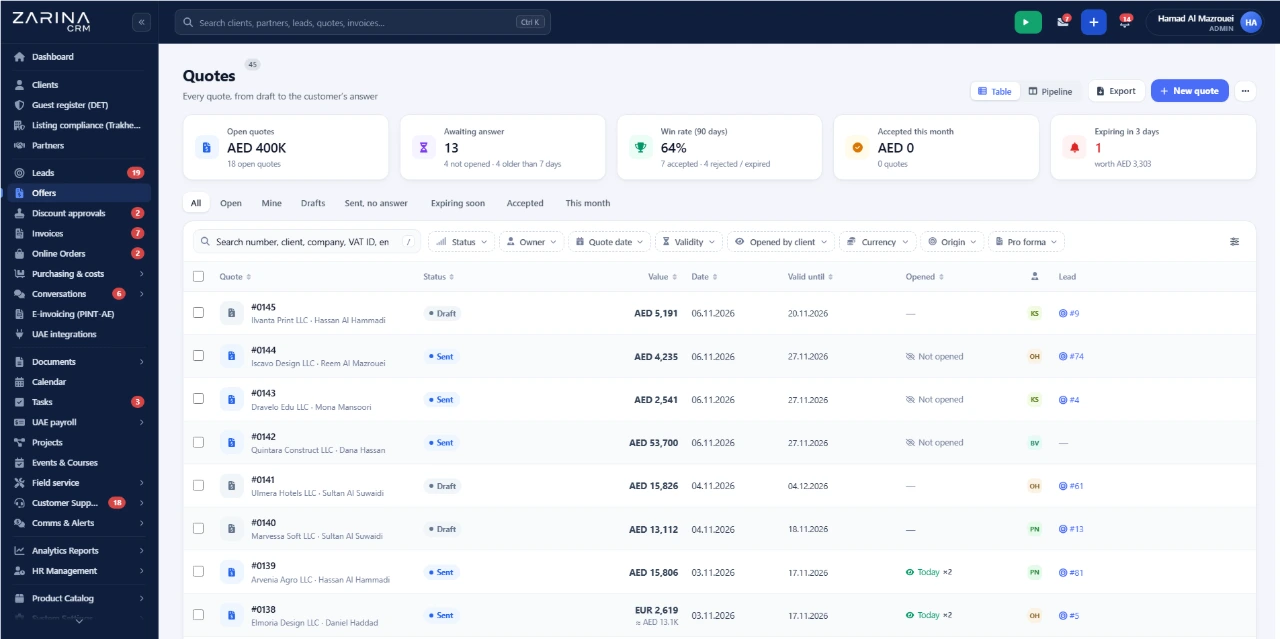
The customer pays at the gateway
The payment page belongs to the gateway, with its own certification. Card details are entered there.
- The gateway’s page
- Certified by them
- No card data with us
- Methods from your account
The result arrives as an event
The gateway notifies the CRM in real time, and the order moves to paid without human intervention.
- Notice in seconds
- Status updated
- Transaction identifier
- Diagnostics per transmission
What follows runs on its own
On a confirmed payment the invoice can be issued, the waybill created and the confirmation sent to the customer.
- Automatic invoice
- Waybill created
- Confirmation sent
- Order closed
Failed payments are visible
A declined payment raises an internal alert, so the customer can be contacted in time.
- Internal alert
- Decline reason
- Fast follow-up
- Fewer lost orders
The accounts are yours
The processing agreement and the fees you negotiated remain yours.
- Your merchant account
- Your own fees
- Keys in your install
- No intermediary
What changes in the first month
It shows up within the first few dozen receipts.
Money arrives sooner
The customer pays at the moment of decision.
- Immediate payment
- Fewer abandonments
- Better cash flow
Nobody searches the statement
Confirmation comes from the gateway.
- No manual checking
- Real-time status
- Time recovered
Invoicing triggers itself
On the confirmed payment.
- No manual step
- Document sent
- Order closed
Small orders become worth taking
The per-order checking cost disappears.
- Margin preserved
- Volume manageable
- No admin burden
Failed payments are not lost
The alert allows a follow-up.
- Orders recovered
- Reason visible
- Action in time
Receipt reporting is immediate
Per gateway, channel and period.
- No manual consolidation
- Channel comparison
- Decisions on evidence
How a payment travels, step by step
From generating the link to the invoice issued.
Payment happens on the gateway’s infrastructure, which is the party certified for it. Your installation receives only the result and a transaction identifier.
- Card data never reaches the CRM
- The payment page is the gateway’s
- The CRM receives only the result
- A transaction identifier is kept
- Keys stay in your installation
- No sensitive data stored
That means an on-premise installation does not fall into the compliance burden for storing card data, for the simple reason that it does not store any.
- 1
The order or invoice is ready
With amount and currency validated.
- 2
The payment link is generated
Manually or by rule.
- 3
The customer receives the link
By email, WhatsApp or another connected channel.
- 4
Payment happens at the gateway
On its infrastructure, with its certification.
- 5
The result reaches the CRM
As a real-time event.
- 6
Invoice and shipping start
If rules are configured.
What reduces the administrative load on receipts
Configurable rules, no programming.
Payment link on invoice issue
Or on order confirmation.
Order moved to paid
On the gateway’s confirmation.
Invoice issued on payment
With no manual step.
Reminder for unused links
Before they expire.
Alert on declined payments
So the customer is contacted.
Receipt report
Per gateway, channel and period.
Access to payment data and gateway accounts
Card data does not exist in your installation.
- Card data never reaches us It is entered on the gateway’s page.
- Keys stay in your installation They do not pass through any intermediary service.
- Receipt access is granted by role Not every user needs to see amounts.
- Every transaction has an identifier Traceable at the gateway.
- Link generation is audited Who requested a payment, and for how much.
- Refunds leave a record With author and time.
What to prepare before the first payment
Matters to settle with the gateway.
A validated merchant account
With the processing agreement signed.
API keys
From your account, separately for test and live.
The event endpoint
Where the gateway sends payment confirmations.
The invoicing rule
Whether the invoice goes out automatically on payment.
Accepted currencies
And the rate used, if you sell in several.
The failed-payment process
Who follows up, and after how long.
The limits of the payment integration, stated plainly
What the module does not do.
- Bank reconciliation is not automatic. The gateway settles aggregated amounts with fees withheld; matching that to the statement remains an accounting task.
- Disputes are handled at the gateway. A contested payment is resolved in its panel; the CRM reflects the outcome.
- Refunds are initiated, not decided. Returning money follows the gateway’s rules and timetable.
- Fees are not controlled by the CRM. The cost per transaction is the one in your agreement.
- Notification can be delayed. If the gateway has an outage, confirmation arrives later; the payment is not lost.
- Instalments and local methods depend on the gateway. What is not enabled in your account does not appear in the CRM.
When the payment integration makes sense and when it does not
Stated plainly.
A good fit if
The situations in which the module pays for itself quickly.
- You collect from customers remotely, not only by bank transfer.
- You have many low-value transactions.
- You want the invoice issued automatically on payment.
- You sell online and payment starts the processing.
Not a fit if
The situations in which we recommend not buying it now.
- You collect only by transfer, on large contracts.
- You have no merchant account and do not want one.
- Volume is so low that the fee cannot be justified.
- Everything is collected in cash, on delivery.
Which package the connectors and API module belongs to
The module is licensed together with external integrations.
Two licensable modules
The programming interface, keys and events are part of the API and integrations module. Connectors to external services and data feeds form the connectors module. They can be activated separately.
What the core includes
The mandatory core brings users and roles, clients and contacts, a lead and sales pipeline, custom fields and 15 interface languages.
Invoicing and payment connectors
They are used together with the invoicing module and the payments and collections module.
Pricing and configurations
Package composition and prices by edition are on the pricing page.
Companies that have trusted Zarina CRM


Payment integration: what it costs and what you get
You pay once. Everything that follows is written here, not in hidden conditions.
It is part of the API and integrations module, on top of the mandatory core. The package composition and the price per edition are on the pricing page.
Cheaper in a bundle. The tiers group several packages at a price lower than their sum:
- Start2 packages + core$2,900−19%
$3,570 - Pro5 packages + core$3,480−34%
$5,280 - Business8 packages + core$4,640−38%
$7,460 - Enterprise13 packages + core$6,970−31%
$10,080
List prices, excl. VAT, one-time payment, unlimited users. The struck-through price is the sum of the packages bought individually. Current offers apply on the pricing page.
What you pay over time for a subscription CRM
Over 3 years, the subscription costs $10,480; the Zarina Start licence costs $2,900, once.
An indicative comparison: enter the subscription price you pay now. The licence does not grow with the number of users.
What you get
- A lifetime licence, with no subscription and no per-user charge
- Unlimited users, on the same licence
- 6 months of warranty on correct operation: fixing errors and inconsistencies
- Implementation, configuration and team training, included in the price
- The licence is verified locally, on your own server: the application does not depend on our servers to work
How long it takes and what is needed
- 48 hours in the standard configuration; up to 14 working days with customisation around the company’s workflow
- Your own server or web hosting with cPanel, with an SSL certificate
- PHP 7.4 or newer (8.x recommended) and MySQL / MariaDB
- The PHP extensions mysqli, json, mbstring; curl, gd and zip for integrations, PDF and exports
- One cron task, for reminders and automations
Where data lives
- The data stays on your server and does not pass through ours
- Roles and rights per user, two-factor authentication
- An audit trail and limits on login attempts
- Consents and data subject requests, managed in the application
- Digitally signed updates and backups from the application
Questions about connecting a CRM with payment gateways
Do customer card details reach the CRM?
How long until the payment shows in the CRM?
Can I send a payment link by WhatsApp or email?
Can the invoice be issued automatically after payment?
Who handles a disputed payment?
Is bank reconciliation automatic?
Do I need my own agreement with the gateway?
Get the complete product sheet by email
A six-page document with everything you need to know before a sales conversation. No obligation and no sales call.
- The platform core and the 13 module packages, with what each one contains
- The features and modules of the edition you choose, plus available integrations
- Full pricing and what it includes: installation, training, data import, warranty
- The native integrations available and the situations where the platform is not a good fit
Take control of your operations, once
We install Zarina CRM on your hosting, configure it around your own workflow and train your team. From that moment on, the application is an asset of your company, not a recurring expense.